Digital Wedding Invitations: The Complete Guide for 2026
Digital (online) wedding invitations explained: what they cost compared with paper, which platforms to compare, etiquette, and how to send and track replies.

What Are Online Wedding Invitations?
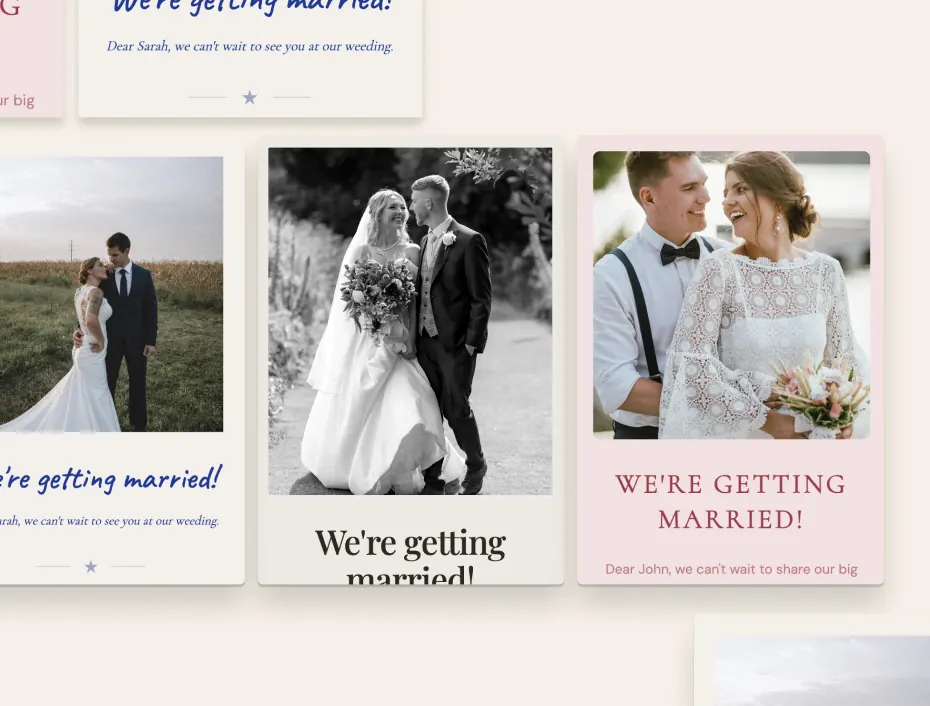
Online wedding invitations are digital versions of traditional paper invitations that you send through email, text, a shareable link, or a dedicated platform. Sometimes called wedding e-invites or electronic invitations, they let guests open a personalized invitation on their phone or computer, view your event details, and RSVP with a single tap.
Most online wedding invitation platforms offer features paper simply can't match: animated envelope openings, embedded maps, direct links to your wedding website and registry, meal preference collection, plus-one management, and real-time response tracking. Every major platform is fully mobile-responsive, so invitations look polished on any screen size.
There are several formats of online wedding invitations to choose from:
- Email-based invitations: Sent directly to each guest's inbox with a personalized digital envelope (Paperless Post, Greenvelope)
- Link-based invitations: A link you share through any channel, including text, email or messaging apps (Wedding Inviter, Joy)
- Wedding website RSVPs: Guests get a paper invitation or save the date and reply on your wedding website (Zola, Joy)
- Video and animated invitations: Custom motion designs with music, animations, and video clips (Canva)
Online Wedding Invitations vs. Paper: The Real Cost Breakdown
Cost is the number one reason couples choose online wedding invitations over paper, but most articles give you vague "save money!" advice without showing the actual math. Here's what the numbers look like for a 150-guest wedding.
Paper Invitation Costs
| Item | Cost per Guest | Total (150 Guests) |
|---|---|---|
| Printed invitation suite (invite + RSVP card + details card) | $3.50–$8.00 | $525–$1,200 |
| Outer and inner envelopes | $0.50–$1.50 | $75–$225 |
| Outgoing postage (Forever Stamp) | $0.73+ | $110+ |
| Return postage for RSVP cards | $0.73+ | $110+ |
| Professional addressing or calligraphy | $1.00–$5.00 | $150–$750 |
| Total range | $970–$2,285+ |
According to The Knot's Real Weddings Study, the average couple spends $530–$640 on stationery alone, and that figure often underestimates the full cost once you add postage, addressing, and RSVP return envelopes.
Digital Invitation Costs
| Platform | Cost for a wedding (checked 10 Nov 2026) | RSVP Tracking |
|---|---|---|
| Joy (WithJoy) | $0 for basic digital cards; premium cards cost extra | Yes |
| Evite | $0 with ads; Premium from $17.99 (12 guests) to $99.99 (750 guests) | Yes |
| Canva (free tier) | $0 (design only, manual send) | No |
| Paperless Post | Coins per guest: a premium card example costs 2 coins per guest; a 200-coin pack is $46. Free designs: first 50 recipients free | Yes |
| Greenvelope | $99 per mailing for 100 guests, $249 for 250 | Yes |
| Wedding Inviter | €49 once (up to 100 guests) or €119 once (unlimited) | Yes |
Zola isn't in this table: its stationery page lists no digital invitations (checked 13 November 2026). Its free wedding website collects RSVPs, so many Zola couples send paper invitations or a save the date and let guests reply online.
Even the paid digital options cost a fraction of a paper suite for 150 guests. Prices are from each service's own website and change, so check before you choose.
Environmental Impact
Going digital isn't just easier on your wallet. Every printed suite means paper, envelopes, RSVP cards and return envelopes, plus postage to deliver them. Multiply that by every guest on your list, and the paper, ink and postal transport add up.
Online wedding invitations carry their own carbon footprint through server energy and data transmission. But a link replaces printing, paper and physical delivery for every guest, so sending online avoids most of what a printed suite needs.

Best Online Wedding Invitation Platforms Compared
Not all online wedding invitation platforms are created equal. Here's what each one does best. We make Wedding Inviter, so we're not neutral: facts about the others come from their own websites, checked on 10 November 2026.
Paperless Post: Best for Design Variety
Paperless Post is one of the best-known names in digital stationery, with a large design library and envelope animations. It serves every kind of event, not just weddings.
Pricing: Coins per recipient. A premium card example on its pricing page costs 2 coins per guest; packs run from $12 (25 coins) to $140 (1,000 coins). Free designs are free for the first 50 recipients, then 1 coin per invite.
Strengths: Big design library, custom questions for guests, messages and reminders, no ads.
Limitations: Its help center says the response area and event page can't change language.
Zola: Best for a Free Wedding Website
Zola is a wedding platform with a free website, a registry and paper invitations. Zola's stationery page lists digital save the dates but no digital invitations (checked 13 November 2026). Guests RSVP on the Zola website, which handles meal choices, plus-ones and several events.
Pricing: Free wedding website. Paper invitations cost extra.
Strengths: Website, registry and guest list in one place; group messages and reminders.
Limitations: No digital invitation to send; you pair it with paper, a save the date, or a digital invitation from another service.
Joy (WithJoy): Best Free Option
Joy (withjoy.com, often called WithJoy) has a free wedding website and free basic digital cards, with custom questions, RSVPs for several events and plus-ones.
Pricing: The core platform is $0 a month. Premium cards and scheduled messages (Messaging Plus) cost extra.
Strengths: Costs nothing for basic cards, wedding website included, email updates and reminders.
Limitations: The nicest cards and scheduled messages are paid add-ons.
Canva: Best Online Wedding Invitation Maker for DIY Design
Canva is the most popular online wedding invitation maker, giving you full creative control with thousands of templates, drag-and-drop editing, custom fonts, and the ability to upload your own photos and graphics. It's the go-to for couples who want a completely custom look.
Pricing: Free tier available. Canva Pro ($12.99/month) unlocks premium templates and features.
Strengths: Total design freedom, massive template library, video and animated invitation support, brand-quality design tools.
Limitations: No built-in RSVP tracking or guest management. You design in Canva but need to distribute through email, text, or another platform. This adds an extra step.
Greenvelope: Best for Detailed RSVPs and Reminders
Greenvelope is a digital invitation service with envelope animations and detailed RSVP options: meal choices, custom questions, plus-ones and automatic reminders. It's ad-free, with guest pages in several languages, including German and Dutch.
Pricing: Per mailing: $19 for 20 guests, $59 for 60, $99 for 100, $249 for 250. An optional membership starts at $125 a year.
Limitations: The free trial covers only 10 recipients, without a shareable link or messaging.
Wedding Inviter: Best for Replies per Part of the Day
Wedding Inviter is only a digital wedding invitation. Each invitation opens with its own 4-digit code, and every guest answers for the ceremony, dinner and party separately and adds dietary needs. Guest pages work in English, Danish, Swedish, Norwegian, Dutch, German, Italian, French, Spanish and Polish.
Pricing: €49 once for up to 100 guests, or €119 once for unlimited guests, with the same designs. No free plan.
Limitations: No automatic reminders, weddings only. The seating plan is included.
Platform Comparison at a Glance
| Platform | Free Option | RSVP Tracking | Best For |
|---|---|---|---|
| Paperless Post | Free designs for the first 50 recipients | Yes | Design variety |
| Zola | Free website (no digital invitations) | On the website | Website + registry |
| Joy (WithJoy) | Free website and basic cards | Yes | Tight budgets |
| Canva | Yes | No | Creative/DIY couples |
| Greenvelope | Trial for 10 recipients | Yes | Detailed RSVPs, reminders |
| Evite | Yes, with ads | Yes | Relaxed, large weddings |
| Wedding Inviter | No (€49 once) | Yes, per part of the day | Multi-part days, guests in DA/NL/DE |
Evite's free invitations show ads and gift suggestions. That's fine for a relaxed party, but for a wedding many couples prefer Evite Premium (from $17.99) or an ad-free service.

Digital Wedding Invitation Etiquette in 2026
The old rules said paper invitations were the only acceptable option for weddings. That's changed: digital invitations are now a normal choice for weddings, as long as you follow the same timing and wording rules as paper.
Timeline
The timing rules are the same as paper:
- Save-the-dates: 6–12 months before the wedding
- Formal invitations: 6–8 weeks before the wedding
- RSVP deadline: 3–4 weeks before the wedding
- Reminder for non-respondents: 2 weeks before RSVP deadline
Digital delivery is instant, but don't send invitations too early. Guests may forget or lose track if you send formal invitations more than 8 weeks out.
Formality Matching
Match the design to your event. A black-tie wedding deserves an elegant digital design with refined typography and muted colors, not a casual template with clip art. Platforms like Paperless Post and Greenvelope offer formal designs that rival the look of high-end printed stationery.
The Hybrid Approach
Many couples use a combination strategy:
- Digital save-the-dates for everyone (fast, free, and widely accepted)
- Digital invitations for most guests
- Printed invitations for a small number of elderly relatives or those without reliable email access
This approach keeps costs low while showing consideration for guests who may prefer paper. The key is consistency within groups. Don't send paper invitations to some friends and digital to others, as this can feel hierarchical.
What Every Digital Invitation Must Include
The same information you'd put on a paper invitation:
- Names of the hosts and the couple
- Date, time, and venue with address
- Dress code (if any)
- RSVP deadline and method
- Link to your wedding website
- Meal or dietary preference options (if applicable)
How to Create and Send Online Wedding Invitations
Here's the step-by-step process for creating online wedding invitations, regardless of which platform you choose.
Step 1: Choose Your Platform
Start with your priorities. If budget is the main concern, Joy (free basic cards) or Evite (free with ads) cost nothing. If design variety matters most, Paperless Post or Canva will serve you better. If you want automatic reminders, look at Greenvelope. If guests should answer per part of the day, in their own language, look at Wedding Inviter.
Step 2: Select or Customize a Design
Browse templates that match your wedding aesthetic. Most platforms let you filter by style (modern, classic, rustic, floral, minimalist) and color palette. Upload engagement photos, adjust fonts, and customize the layout until it feels right.
Step 3: Add Your Wedding Details
Fill in the event information: date, time, venue, dress code. Link to your wedding website. Set up RSVP options including meal preferences, plus-one details, and dietary restrictions.
Step 4: Import Your Guest List
Upload your guest list from a spreadsheet or add guests manually. Most platforms let you import from a CSV file with columns for name, email, and mailing address (useful for thank-you cards later).
Step 5: Send and Track Responses
Hit send, then watch your dashboard. Most platforms show you in real time who has opened the invitation, who has RSVP'd yes or no, and who hasn't responded. Set up automatic reminders for guests who haven't replied by your deadline.
Pro tip: To avoid spam folder issues, send a heads-up text or message before the invitation goes out. Something like "Wedding invitation heading your way via email tomorrow!" ensures guests watch for it.
Are Digital Wedding Invitations Tacky? What Guests Really Think
Let's address this directly, because it's the number one concern couples raise.
Short answer: no, online wedding invitations are not tacky. Not anymore.
The "tacky" perception mostly comes from two sources: memories of low-quality Evite-style online wedding invitations from the 2000s, and generational expectations from relatives who associate formality with paper.
But guests do answer them. In the Wedding Inviter RSVP Report 2026 (14 weddings, 649 invitations), 83% of invitations got an answer, and 91% of invitations were opened on a phone.
The perception is fading because the product has improved. A digital invitation with an envelope animation and elegant typography doesn't look or feel "cheap." It looks intentional.
That said, if your guest list skews heavily toward older relatives who value tradition, consider the hybrid approach: digital for most guests, a small batch of printed invitations for grandparents and great-aunts.

RSVP Tracking and Guest Management
This is where online wedding invitations genuinely outperform paper, and it's not close. Real-time RSVP tracking turns your invitation from a pretty card into a powerful planning tool.
With paper RSVP cards, you count replies by hand and chase the rest by phone. In the Wedding Inviter RSVP Report 2026, 83% of digital invitations got an answer, and every answer was counted for the couple automatically.
Most platforms give you:
- Real-time dashboard showing opened, responded, and pending guests
- Automatic reminders sent to non-respondents on your schedule
- Meal and dietary preferences collected alongside the RSVP
- Plus-one name collection so you have names for place cards
- Multi-event tracking for ceremony, reception, rehearsal dinner, and welcome party separately
- Export to spreadsheet for sharing with your caterer, venue, and wedding planner
The time savings alone justifies going digital for many couples. No hand-counting response cards. No cross-referencing a paper list with a spreadsheet. Everything updates in one place.

Tips for Making Digital Invitations Feel Special
The concern with sending online wedding invitations is losing the personal touch of receiving a beautiful envelope in the mail. Here's how to make your digital invitations feel just as intentional.
Choose a platform with envelope animations. Paperless Post and Greenvelope both offer animated envelope openings that mimic the experience of tearing open a real envelope. It sounds like a small detail, but it adds an element of surprise that guests notice.
Match your invitation design to your overall wedding aesthetic. If your wedding has a garden theme with soft greens and cream, your invitation should reflect that. Most platforms let you customize colors, fonts, and imagery to create a cohesive look.
Add personal touches. Upload engagement photos, include a personal message, or add a short video clip of you and your partner. These are features paper invitations simply cannot offer.
Use music or animation. Video invitations with a carefully chosen soundtrack create an emotional moment that static paper never could. Canva offers video invitation templates with background music.
Don't skip the wedding website link. Your wedding website is the hub where guests find travel information, accommodations, registry links, and FAQs. Digital invitations make this connection seamless with a single tap.
Choosing the Right Approach for Your Wedding
There's no single right answer. The best choice depends on your priorities, your guest demographics, and your wedding style. Here's a quick framework:
Go fully digital if:
- Budget is a priority and you want to redirect savings elsewhere
- Most of your guests are under 55 and tech-comfortable
- Sustainability matters to you
- You're planning a casual, modern, or destination wedding
- You want real-time RSVP tracking without the hassle
Go hybrid (digital + some paper) if:
- You have elderly relatives who prefer physical mail
- Your wedding is formal or black-tie
- You want the best of both worlds
- Cultural expectations favor paper for certain guests
Go fully paper if:
- Your wedding is ultra-formal and tradition matters above all
- Most of your guests are over 65
- Budget is not a constraint
- You want a tangible keepsake for every guest
For most couples planning weddings in 2026, online wedding invitations offer the best balance of cost, convenience, and guest experience, whether you go fully digital or use a hybrid approach. The stigma around paperless wedding invitations has largely faded, the platforms have matured, and the functional advantages like RSVP tracking, instant delivery, and easy updates make a compelling case.
Start by browsing a few free platforms. Joy and Evite let you build and send basic invitations without paying. Paperless Post lets you design and preview before purchasing. Wedding Inviter lets you set up a complete invitation with RSVP tracking in under five minutes for a one-time €49. Take 20 minutes to explore, and you'll quickly see whether digital is the right fit for your celebration.
Essential Features to Look For
Not all digital invitation platforms are created equal. Here are the features that matter most:
- Mobile-first design: Guests will view your invitation on their phone. It needs to look stunning on small screens.
- Real-time RSVP dashboard: A clear overview of who's coming, who's declined, and who hasn't responded yet.
- Guest management: Track dietary requirements, allergies, and special requests in one place.
- Multi-event support: If your wedding spans multiple events, your invitation should handle all of them.
- Instant updates: The ability to change details after sending, with guests always seeing the latest version.
- Privacy and security: PIN-protected access ensures only invited guests can view your invitation.
Common Concerns About Going Digital
"Will older guests know how to use it?"
Modern digital invitations are designed to be as simple as opening a link. There are no apps to download, no accounts to create. If someone can receive a text message or open a website, they can RSVP digitally.
"Is it less personal than paper?"
Actually, digital invitations can be more personal. Customized messages for each guest, interactive schedules, and the ability to update information in real-time create a more engaging experience than a static piece of paper.
"What about guests without internet?"
For the rare guest without internet access, you can always supplement with a phone call or a simple printed card with the essential details. Digital doesn't have to be all-or-nothing.
Related Resources
- Free digital wedding invitations — the free options and their limits
- How to send wedding invitations online — step-by-step guide
- When to send wedding invitations — the perfect timeline
- Digital vs paper wedding invitations — side-by-side comparison
- RSVP tracking — how real-time tracking works
- Browse all invitation templates
- Event schedule builder — add multiple events to one invitation
- PIN-based access — secure and simple for guests
Frequently asked questions
What are online wedding invitations?
Online wedding invitations are digital versions of traditional paper invitations sent via link, email, or text. They include features like RSVP tracking, event schedules, and guest management — all viewable on any device.
How much do online wedding invitations cost?
Some platforms, like Joy and Evite, have free options. Wedding Inviter costs €49 (Premium) or €119 (Luxe) as a one-time fee, compared to €300–€800 for paper invitations.
Are online wedding invitations appropriate for formal weddings?
Yes. Modern platforms offer elegant, formal designs with serif fonts, refined layouts, and customizable styling that rivals the sophistication of letterpress printing.
Do online wedding invitations include RSVP tracking?
Most platforms include built-in RSVP tracking that shows real-time responses, dietary preferences, plus-ones, and pending replies — all in one dashboard.
How do I create digital wedding invitations?
Choose a platform like Wedding Inviter, pick a template, add your event details, set up RSVP options, and share a link with your guests. Most couples are done in under 30 minutes.
More from the Blog
 GuidesFree Digital Wedding Invitations: Your Options and Their Limits7 min read
 PlanningOnline Wedding RSVP: The Complete Guide to Digital Response Tracking8 min read
 Comparisons6 Best Paperless Post Alternatives for Wedding Invitations (2026)12 min read
 GuidesHow to Send Wedding Invitations Online: Step-by-Step Guide7 min read
 ComparisonsBest Online Wedding Invitation Sites in 2026: Honest Comparison10 min read
 PlanningWedding Invitations with RSVP Tracking: Why It Changes Everything6 min read
 PlanningWhen to Send Wedding Invitations: The Perfect Timeline for 20266 min read
 GuidesPaperless Wedding Invitations (2026): How to Go Paperless8 min read
 GuidesWedding Invitation Website Buyer’s Checklist: What to Compare9 min read
 PlanningWedding RSVP Website: Collect Replies Without Chasing Guests8 min read
 GuidesElectronic Wedding Invitations: Everything You Need to Know8 min read
 ComparisonsBest WithJoy Alternative for Wedding Invitations in 20269 min read
 GuidesDigital Save the Date: How to Announce Your Wedding Online7 min read
 ComparisonsWedding Invitation App vs No-App: Which Gets Better RSVPs?8 min read
 PlanningWedding RSVP Etiquette: How to Get Every Guest to Respond9 min read
 PlanningHow to Manage Your Wedding Guest List: From First Draft to Final Count10 min read
 InspirationWedding RSVP Wording Examples for Every Style and Situation12 min read
 InspirationSave the Date Wording: Examples for Every Style of Wedding9 min read
 InspirationWedding Website Wording: Templates for Every Section10 min read
 PlanningThe Ultimate Wedding Planning Checklist for 202614 min read
 PlanningWedding Invitation Checklist: What to Include & How to Send10 min read
 PlanningWedding Day Checklist: Hour-by-Hour Timeline & Vendor Guide11 min read
 InspirationWedding Invitation Wording: Examples for Every Situation10 min read
 PlanningPaper vs Digital Wedding Invitations: Which Is Right for You?6 min read
 ComparisonsZola vs Paperless Post: Which Is Better for Wedding Invitations?9 min read
 ComparisonsGreenvelope Alternatives for Wedding Invitations (2026)9 min read
 ComparisonsGreenvelope vs Joy for Wedding Invitations (2026)6 min read
 ComparisonsGreenvelope vs Paperless Post: Pricing & Wedding Invitations (2026)6 min read
 ComparisonsJoy vs Evite for Wedding Invitations (2026)6 min read
 GuidesWedding RSVP per Event: Ceremony, Reception and Evening Guests7 min read
 GuidesHow to RSVP to a Wedding: Online, In Person & What to Say7 min read
 GuidesWedding RSVP Deadline: When to Set It, and If Guests Miss It8 min read
 ComparisonsJoy vs Zola vs Paperless Post for Digital Wedding Invitations6 min read
 ComparisonsPaperless Post vs Evite for Wedding Invitations (2026)6 min read
 ComparisonsGreenvelope vs Evite for Wedding Invitations (2026)6 min read
 ComparisonsInviteDrop Alternatives for Wedding Invitations (2026)7 min read
 ComparisonseCardWidget vs Paperless Post: Which One Is for Weddings?5 min read
 GuidesWhat Does RSVP Mean on a Wedding Invitation?6 min read